
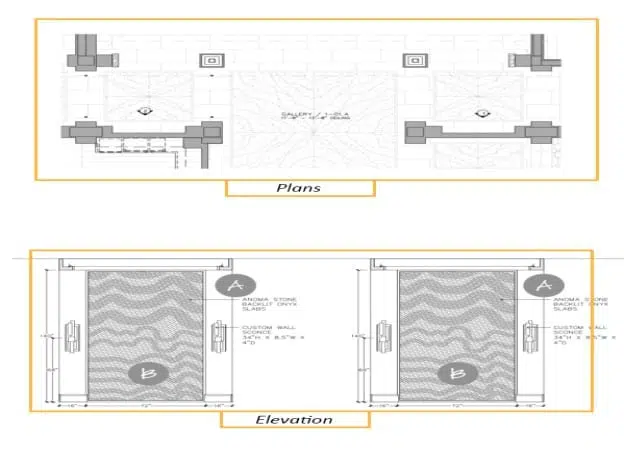
Architectural Drawings: A Guide to Plans, Elevations & Detail Drawings
Architectural Drawing is a technical drawing of a building where the term “technical” means the details required to portray the design of a building. AutoCAD is widely used software for Architectural drawing and according to 6sense they own the 39.62% market share. Other software’s used for house drawing are Solidworks, CATIA etc. Architectural drawings, including plans and elevations, are essential for visualizing a building from different perspectives, aiding architects, designers, and clients in understanding the layout and design while facilitating accurate communication and collaboration throughout a project.
For homeowners & architecture students
What is Architectural Drawing
Architectural Drawing is a technical drawing of a building where the term “technical” means the details required to portray the design of a building. AutoCAD is widely used software for Architectural drawing and according to 6sense they own the 39.62% market share. Other software’s used for house drawing are Solidworks, CATIA etc. Architectural drawings, including plans and elevations, are essential for visualizing a building from different perspectives, aiding architects, designers, and clients in understanding the layout and design while facilitating accurate communication and collaboration throughout a project.
CAD & Drafting Ecosystem
AutoCAD leads the industry holding a 39.62% market share according to 6sense. Parametric modeling suites such as Solidworks and CATIA are also utilized for intricate architectural detailing, mechanical drafting, and specialized building components.
Multi-Stakeholder Collaboration
Architectural drawings establish a unified technical language across architects, structural engineers, trade contractors, and clients—providing comprehensive layout clarity and minimizing costly misunderstandings on the job site.
Types of Architectural Drawings: Plans
A plan is a two-dimensional, top-down view of a space or building, illustrating the layout and arrangement of rooms, walls, doors, windows, and other architectural elements. In architectural design, plans are crucial for conveying the organization of spaces within a building and understanding the relationships between them. There are different types of plans, including:
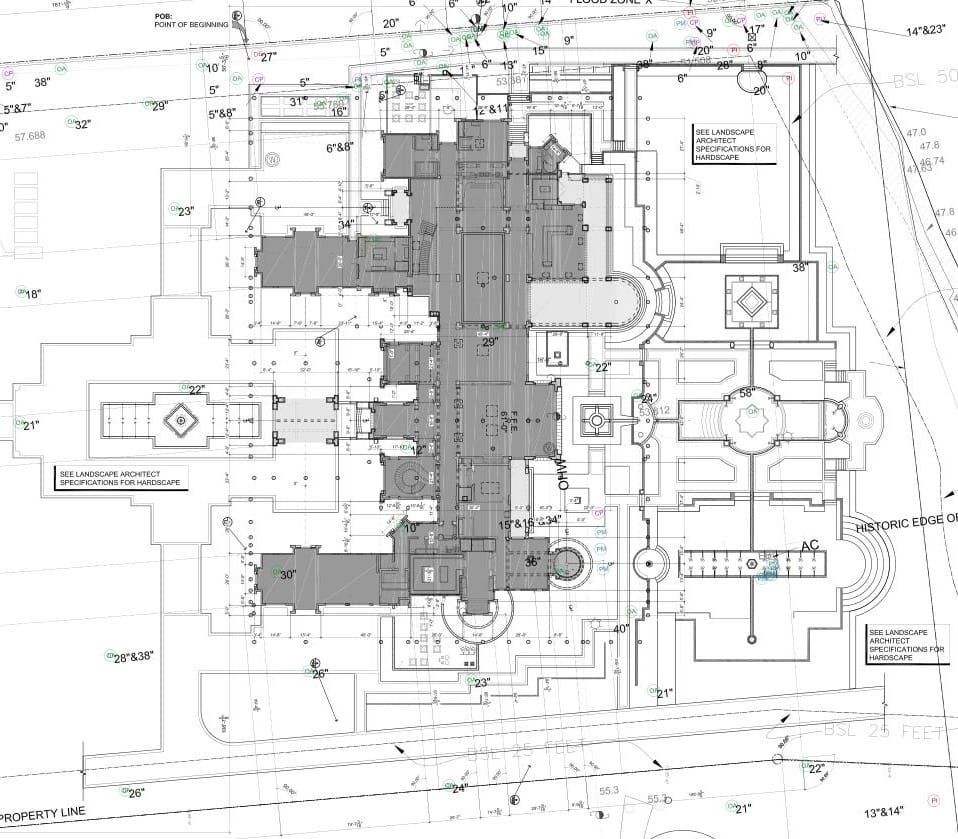
Site plans
These House drawings depict the entire property or plot on which the building is located, showing the building’s relationship to the site’s boundaries, landscape features, and other structures. Here is an example of a site plan. Site plans are also called landscape plans.
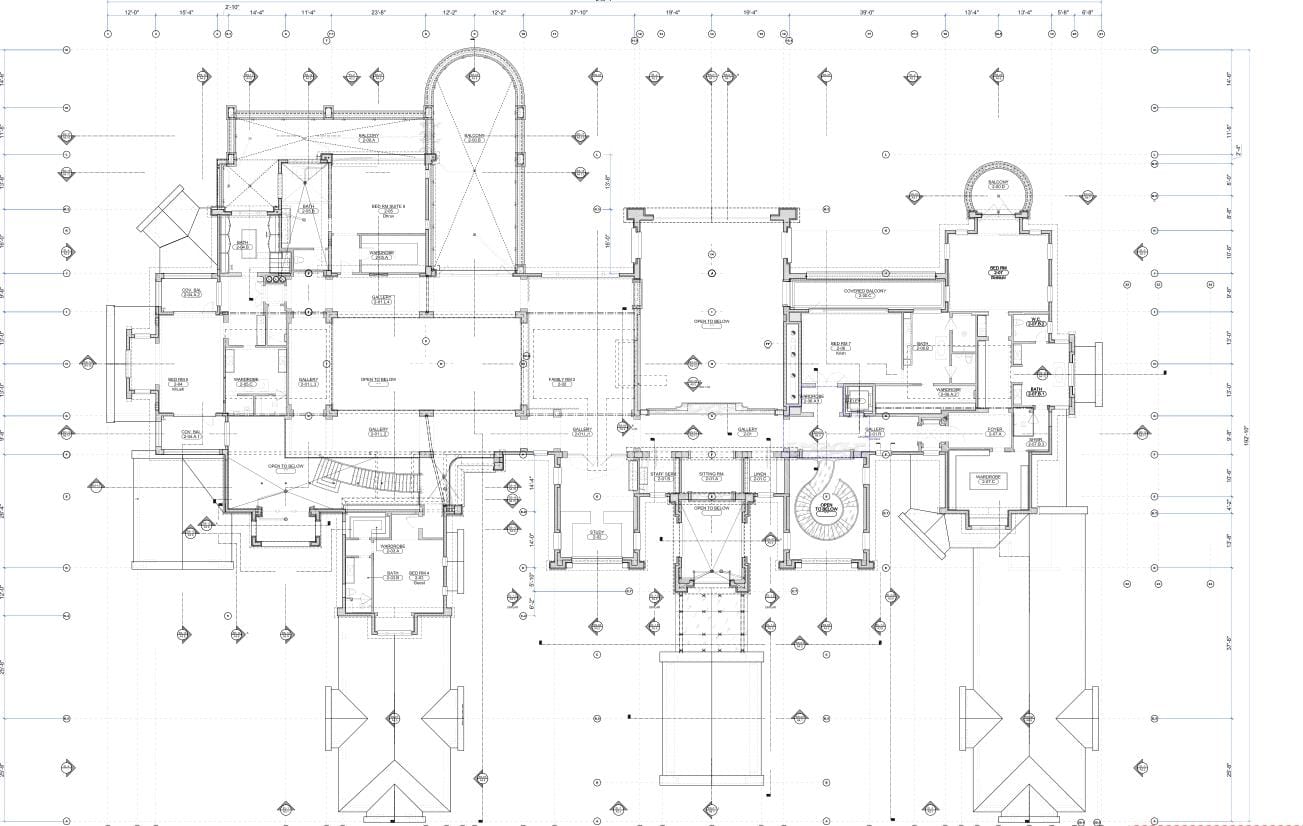
Floor plans
These represent the layout of each floor within a building, displaying the arrangement of walls, doors, windows, and other structural elements. Floor plans provide a clear understanding of the organization of spaces within the building and their dimensions. The floor plan is such an important element in decision-making process that today, real estate developers & property owners use 3D floor plans to market their properties.
Reflected ceiling plans (RCP)
These House drawings show the layout of a ceiling as if it were reflected onto a mirror placed on the floor. RCPs indicate the position of lighting fixtures, air vents, and other ceiling-mounted elements, as well as the ceiling’s design and any decorative features.
Structural Diagrams & Framing Plans
Structural diagrams delineate the load-bearing framework of a residence, detailing footing specifications, foundation walls, floor joist spans, structural beam sizing, and shear walls to ensure complete engineering safety and code compliance.
Types of Architectural Drawings: Elevations
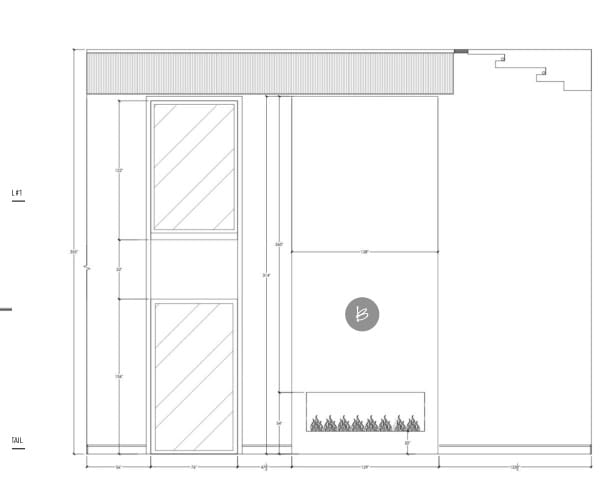
An elevation is a two-dimensional House drawing that represents the vertical view of an interior or exterior wall or facade. Elevations are essential for showcasing the design, dimensions, and appearance of a building’s vertical surfaces. There are two main types of elevations in architectural design:
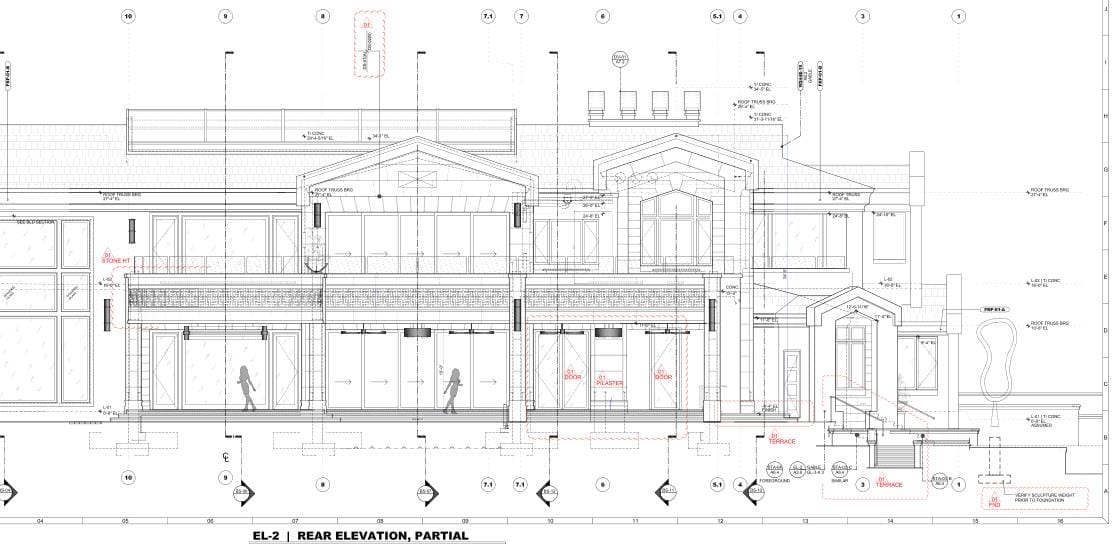
Exterior elevations:
These depict the vertical view of a building’s exterior walls or facades, providing information about the design, dimensions, and appearance of the building’s exterior elements, such as windows, doors, and exterior finishes. These types of House drawings are vital for understanding the building’s overall aesthetics and style and are used to produce house rendering visuals.
Interior elevations
While less common in architectural design compared to interior design, interior elevations may be used in some cases to represent the vertical view of an interior space’s walls, providing detailed information about the design and dimensions of wall-mounted elements or specific architectural features within a space. These house drawings are used to produce Interior renderings.
Section Drawings and Detail Drawings
Section Drawing
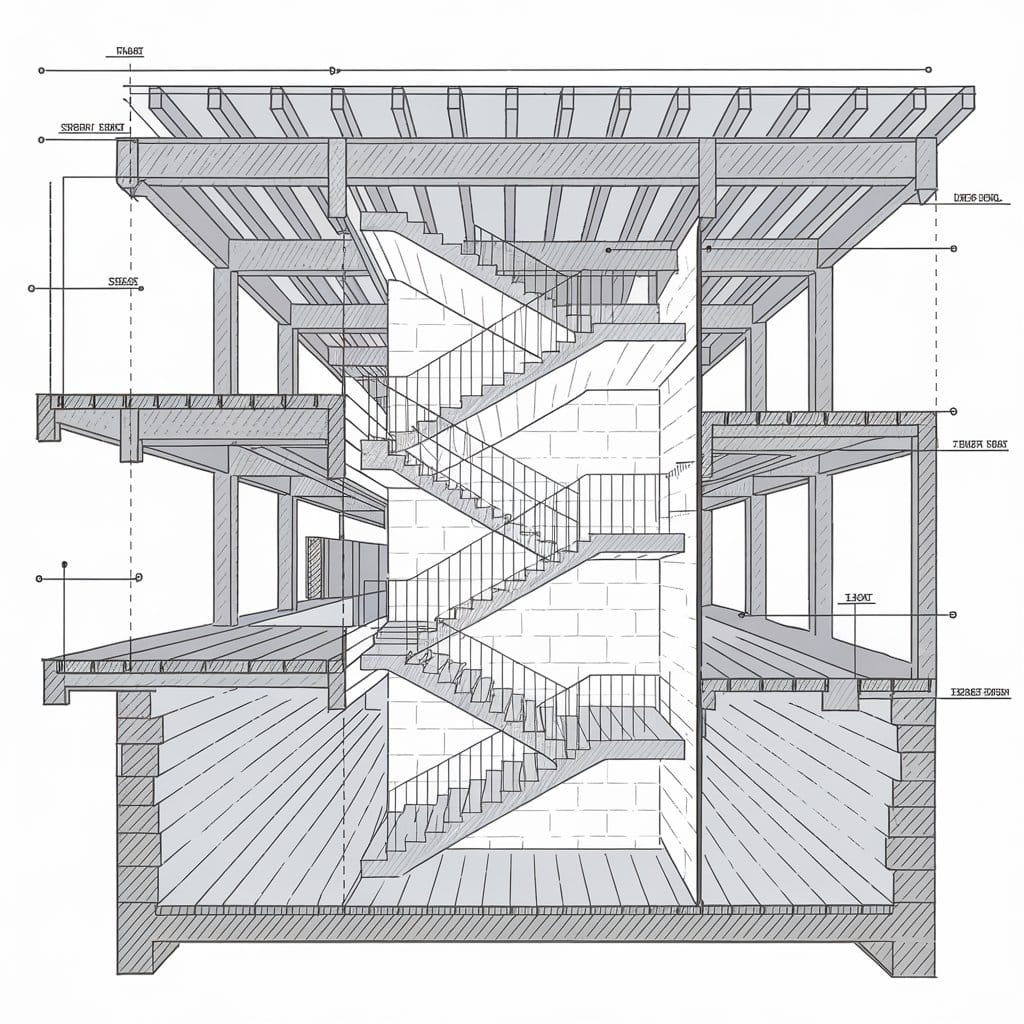
A section drawing in architecture shows a building as if it’s been sliced vertically, often along its main axis. It reveals the interior and exterior, including wall layers, floors, spaces, ceilings, beams, stair framing, and furniture. Choosing a section plane is one of the main steps of this process because the selected plane should highlight the most significant features such as the structural system, and the spatial hierarchy as well the Architects also consider how this drawing is related to other architectural drawings in the set.
Detail Drawings
Detail architectural drawings are close-up views of specific building parts, clearly showing how things like windows, doors, or structural connections fit together. They include exact measurements, materials to use, and instructions for builders. This makes sure everyone on-site understands exactly what to do, avoiding confusion or costly mistakes. For example, a detail drawing could show precisely how a window frame attaches to the wall, including materials for insulation and sealing. These drawings help builders follow building codes, save time, and deliver better quality in the finished project.
Vertical Axis & Spatial Hierarchy
Cross section drawings illustrate the relationship between grade elevation, ceiling heights, floor joist assemblies, and roof rafters. They reveal vertical circulation pathways and clarify complex split-level transitions that top-down plans cannot convey.
Detail Specifications & Code Compliance
By defining exact material layers, vapor barriers, flashing assemblies, and mechanical fastening points, detail drawings provide trades with precise on-site guidance to prevent thermal bridging, water infiltration, and structural inspection failures.
2D Drawings vs. 3D Rendering Translation & Permit Approvals
While 2D architectural drawings remain the contractual legal foundation of building construction, translating these technical schematics into photorealistic 3D visualization is essential for modern project communication. A two-dimensional blueprint conveys dimensions and coordinates, but a 3D rendering brings those lines to life with realistic daylight, material materiality, and emotional depth.
This translation plays a decisive role across municipal permit approvals, investor presentations, and residential sales, allowing stakeholders without technical training to visualize the finished space with complete confidence.
2D Technical Line Drafting
Orthographic blueprints, CAD vector drawings, and dimensional schedules provide the exact geometric tolerances, legal boundary setbacks, and construction sequences required by engineers and licensed trades.
3D Photorealistic Visualization
Advanced rendering engines convert flat CAD linework into true-to-life lighting, physical materials, and atmospheric depth—empowering homeowners, developers, and commercial buyers to experience spaces before ground is broken.
Permit Approvals & Board Reviews
Planning commissions, zoning boards, and municipal review departments increasingly require 3D context renderings alongside technical 2D sets to verify neighborhood fit, sightlines, solar shadowing, and exterior material compliance.
Clash Detection & Cost Savings
Digitally reconstructing a home in 3D directly from 2D plans and elevations reveals spatial collisions between structural framing, stair headrooms, and mechanical ducting early—avoiding costly change orders during active construction.
3D Demonstrations of Architectural Drawings:
Modern architectural visualization transforms traditional blueprints, elevations, and sections into high-fidelity 3D assets that showcase every facet of a home’s architecture:


In summary, Architectural drawings in building or house design are vital tools for visually communicating the layout, dimensions, and details of a building. They play a crucial role in ensuring clear communication and collaboration among architects, designers, clients, and other project stakeholders.
Frequently Asked Questions About House Drawings & Architectural Plans
Common questions regarding architectural house drawings, technical drafting standards, 2D to 3D translation, and municipal building permit requirements:
What are the primary types of architectural house drawings?
The primary types of architectural drawings comprise plans (site plans, floor plans, and reflected ceiling plans), elevations (exterior facade projections and interior millwork elevations), section drawings (vertical slices revealing structural layers and spatial hierarchy), and detail drawings (close-up construction junctions and material assemblies).
Why are architectural drawings critical for building permits and approvals?
Architectural drawings provide municipal planning boards and building code authorities with precise legal documentation of boundary setbacks, structural load-bearing elements, egress points, ceiling heights, and safety clearances necessary to secure building permits and pass on-site inspections.
What software is industry standard for house drawing and architectural plans?
AutoCAD is the industry benchmark for 2D architectural drafting, holding an estimated 39.62% market share according to 6sense. Other specialized programs include Solidworks, CATIA, Autodesk Revit for Building Information Modeling (BIM), and SketchUp for rapid spatial schematics.
How are 2D architectural drawings translated into 3D renderings?
3D visualization artists import 2D CAD floor plans, elevations, and section drawings as reference templates to model accurate 3D geometry. Physically based materials (PBR), realistic sunlight, artificial fixtures, and landscaping are added to create photorealistic 3D floor plans, exterior facade visuals, and interior cutaways.
What is the difference between a site plan and a floor plan?
A site plan (also known as a landscape plan) shows the macro view of the entire property or land parcel, including property lines, setbacks, topography, access roads, and neighboring structures. A floor plan displays the micro view of the building’s interior, detailing room arrangements, door swings, window openings, and interior wall dimensions.
Why are detail drawings necessary in an architectural set?
Detail drawings provide magnified views of intricate construction connections—such as how a window frame anchors to a masonry wall or how flashing and insulation layers seal a parapet roof. They provide builders with exact instructions to avoid confusion, prevent water leaks, comply with building codes, and ensure top-quality execution.