Retail design has always been high pressure. Deadlines are fixed. Budgets are tight. And many people need to say “yes” before a store is built. That is why retail teams increasingly rely on CGI and 3D visualization to make decisions faster and with less risk.
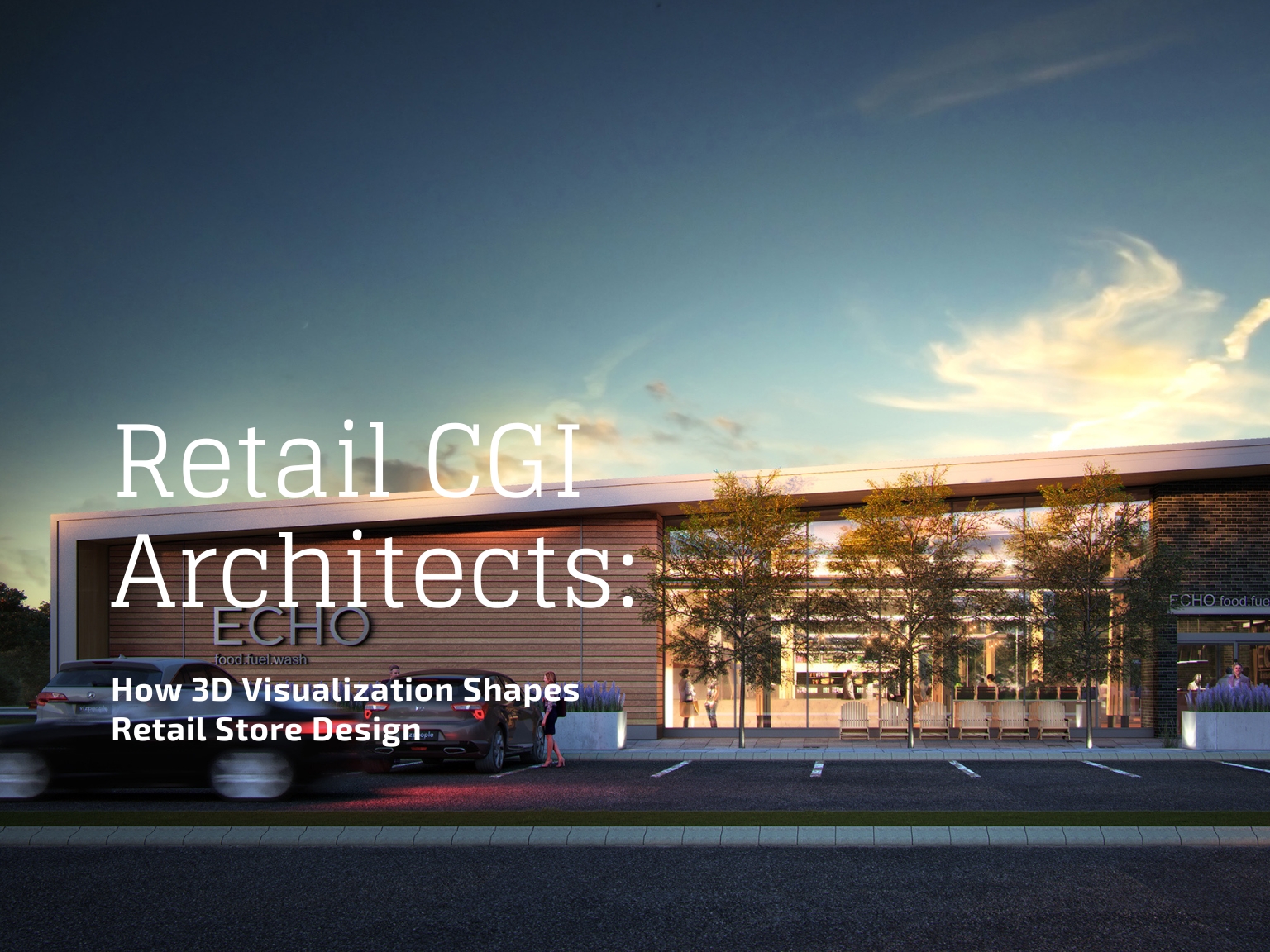
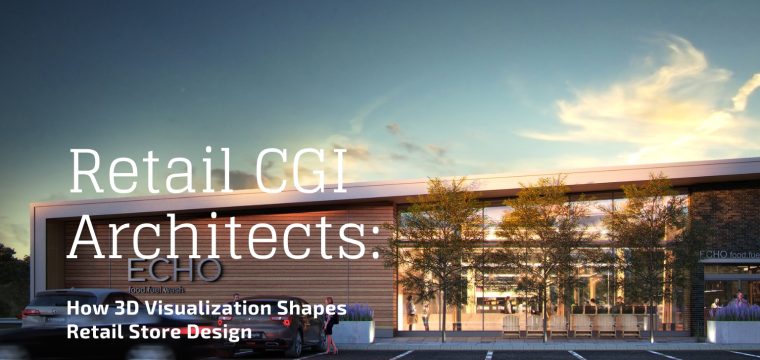
You may have seen the phrase “retail CGI architects” in search results, agency pages, or design conversations. It is not a formal job title in most companies. But the work behind it is very real. It describes specialists who create photorealistic 3D renderings and virtual models of retail spaces so teams can review, approve, and market a store before construction begins
In this guide, you will learn:
- What “retail CGI architects” actually means in practice
- How retail CGI fits into the real retail project workflow
- The most common deliverables, from stills to VR walkthroughs
- Trends shaping demand in 2025 to 2026
- How to choose a retail CGI partner and get better results

What Does “Retail CGI Architects” Mean in Practice?
In plain terms, “retail CGI architects” refers to people who create computer-generated imagery (CGI) for retail spaces. That includes:
- 3D modeling of the store environment
- Lighting and material work to make it look real
- Photorealistic renderings of key views
- Walkthrough animations or interactive tours
- Sometimes VR-ready experiences for design review
Are They Licensed Architects?
Sometimes yes, often no.
Many retail CGI specialists come from architectural visualization (ArchViz) backgrounds. They may be 3D artists who understand architecture, retail design, and how to present space convincingly. In other cases, a retail architecture firm has an in-house visualization team, and the “architect” part is literal. What matters is not the label.hhh
What matters is the role they play: turning plans and ideas into visuals that help people decide.
Why the Term Can Confuse People
The phrase mixes two ideas:
- Retail architecture (designing stores and spaces)
- CGI and visualization (showing those spaces in high-quality visuals)
In real industry usage, professionals often use other terms that are clearer and more common.
Where Retail CGI Fits in the Retail Project Workflow

Phase 1: Concept and Direction
- Mood and brand feel
- Layout options and zoning
- Feature moments (entry wall, hero display, lighting concept)
Phase 2: Design Development
- Material choices (floors, walls, fixtures)
- Lighting intensity and mood
- Signage placement and sightlines
- Product presentation and display rhythm
Phase 3: Stakeholder Approvals
- Internal leadership
- Landlords and leasing teams
- Investors or finance groups
- Sometimes city planning or permitting stakeholders
Phase 4: Pre-Opening Marketing and Storytelling
- Press releases and announcements
- Leasing brochures and presentations
- Website launch pages
- Social campaigns teasing a new store
- Internal training and store standards documentation
Quick Workflow Diagram (Simple and Repeatable)
Inputs → Draft CGI → Review → Revisions → Final Deliverables → Marketing and Launch Use
What Retail CGI Deliverables Usually Include
Common Deliverables
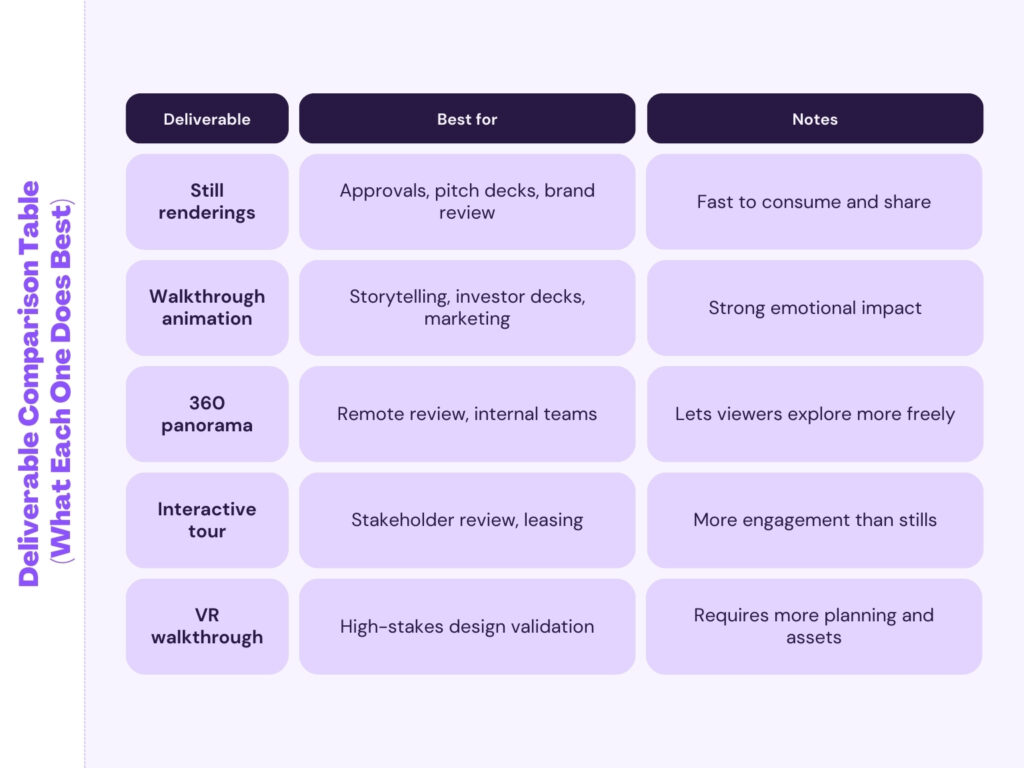
- Photorealistic Still Renderings
- Hero shots for presentations
- Customer eye-level views
- Key feature moments
- Exterior storefront views (if needed)
- 3D Floor Plans and Layout Visuals
- Useful for quick understanding
- Great for cross-team alignment
- Walkthrough Animations
- Smooth camera path through the space
- Used for stakeholder buy-in and marketing
- 360 Panoramas and Interactive Tours
- Lets viewers explore from different angles
- Useful for remote reviews
- VR-Ready Walkthroughs
- Used for immersive design review
- Helpful when details matter and timelines are tight
Deliverable Comparison Table (What Each One Does Best)
The Strategic Value: Why Retail Brands and Architects Use CGI
1. Faster Decisions and Fewer Misunderstandings
2. Better Design Accuracy Before Build-Out
Many costly issues in retail projects begin as small design gaps that are easy to miss on drawings alone. Lighting may look perfect on paper but feel flat once built. Display spacing can end up too tight for real customer movement. A feature wall might unintentionally block sightlines to high-margin product zones. CGI helps teams identify these problems early, when changes are still fast, affordable, and low risk.
3. Stronger Brand Storytelling
Retail spaces are emotional, and customers remember how a store feels as much as how it looks. CGI allows teams to test that feeling before construction begins. It helps evaluate how warm or dramatic the lighting feels, whether the space reads as premium or casual, and if the chosen materials truly reflect the brand personality. It also ensures visual consistency across multiple locations, so every store tells the same brand story.
Real-World Use Cases for Retail CGI
New Store Launches and Rollouts
- Store prototype visuals
- Rollout presentations
- Regional alignment with local teams and contractors
Renovations, Refits, and Rebrands
- What changes are essential
- What can wait
- How the “before and after” will feel
Pop-Ups and Experiential Retail
- Branded moments
- Product display flow
- Lighting and signage
- Photo-friendly corners for social sharing
Retail Real Estate and Leasing
The Toolkit: How Retail CGI Is Made (In Simple Terms)
1. 3D Modeling
- Architectural drawings or BIM exports
- Fixture layouts
- Reference photos and measurements
If interested, Go deep understanding on 3D Modeling
2. Materials and Textures
- wood, metal, glass, stone
- fabric, paint, tile
- branded finishes and signage surfaces
3. Lighting
To know more , you can read our thoughtful article on 3D Lighting rendering
4. Cameras and Composition
- entry view
- mid-store views
- point-of-sale zone
- hero display moments
5. Rendering and Post-Production
Latest Trends in Retail CGI

VR Walkthroughs for Faster Sign-Off
- the store is a flagship
- the build is expensive
- the brand standard must be perfect
AR and Mixed Reality for Planning
- remodel planning
- fixture updates
- pop-up placement
Digital Twins and Simulation
- layout testing
- training
- maintenance planning
- future redesign planning
The Rise of Virtual Stores
- in-store visuals
- e-commerce product pages
- social and ads
- digital showrooms
- architectural rendering services and
- product rendering services, depending on your needs.
Common Misconceptions and How to Avoid Them
Misconception 1: CGI Is Only for Marketing
Reality: The biggest value often comes earlier, during design decisions and approvals.
Misconception 2: One Hero Image Is Enough
Reality: Retail is experienced through movement and multiple viewpoints. A strong set of views is more useful than one perfect image.
Misconception 3: Realism Is Just Post-Production
Reality: Realism starts with accurate modeling, materials, and lighting. Post-production is the last 10 percent.
Misconception 4: CGI Is Too Expensive for Smaller Stores
Reality: You can scale deliverables. A small set of key images can still drive faster approvals and better outcomes.
How to Choose a Retail CGI Partner (Beyond the Pixels)
- Retail Understanding: Look for signs they understand brand identity, customer flow, visual merchandising, and fixture logic and retail constraints.
- Consistency and Control: A good provider can keep quality consistent across multiple stores, multiple scenes, and multiple revision cycles.
- Workflow and Communication: Ask how they handle revision rounds, feedback consolidation, file handoff, and deadlines and version control.
- Scalability: If you plan a rollout, confirm they can handle volume without quality drop.
Questions to Ask Before Hiring
- What inputs do you need to match our brand materials accurately?
- How do you manage revisions when many stakeholders are involved?
- What is your typical timeline for draft and final?
- Can you produce both stills and walkthroughs if needed?
- How do you keep consistency across multiple store locations?
Practical Checklist: How to Get Better Retail CGI Results
Provide These Inputs Early
- floor plan and elevations
- reflected ceiling plan (if available)
- fixture plan and key dimensions
- brand guideline references
- material references and finish notes
- lighting intent or fixture specs
- signage guidelines and logo usage rules
Define the Output Clearly
- use case: approvals, leasing, marketing, or all
- number of images and angles
- realism level expected
- revision rules and deadlines
- final formats needed (JPG, PNG, TIFF, video, 360)
Manage Feedback the Right Way
- pick one owner who consolidates comments
- avoid sending conflicting feedback from multiple teams
- use screenshots with markup when possible
- approve layout before polishing materials and lighting
- Architectural 3D visualization and rendering support
- Product CGI support for retail and e-commerce consistency