

Lifestyle 3D Jewelry Rendering for Necklaces
Silver and yellow-gold necklaces are composited into supplied model images, matching pendant scale, chain contours, contact shadows, and depth of field across the lifestyle image set.
Product visualization · Location not published
Product Lifestyle Jewelry Rendering
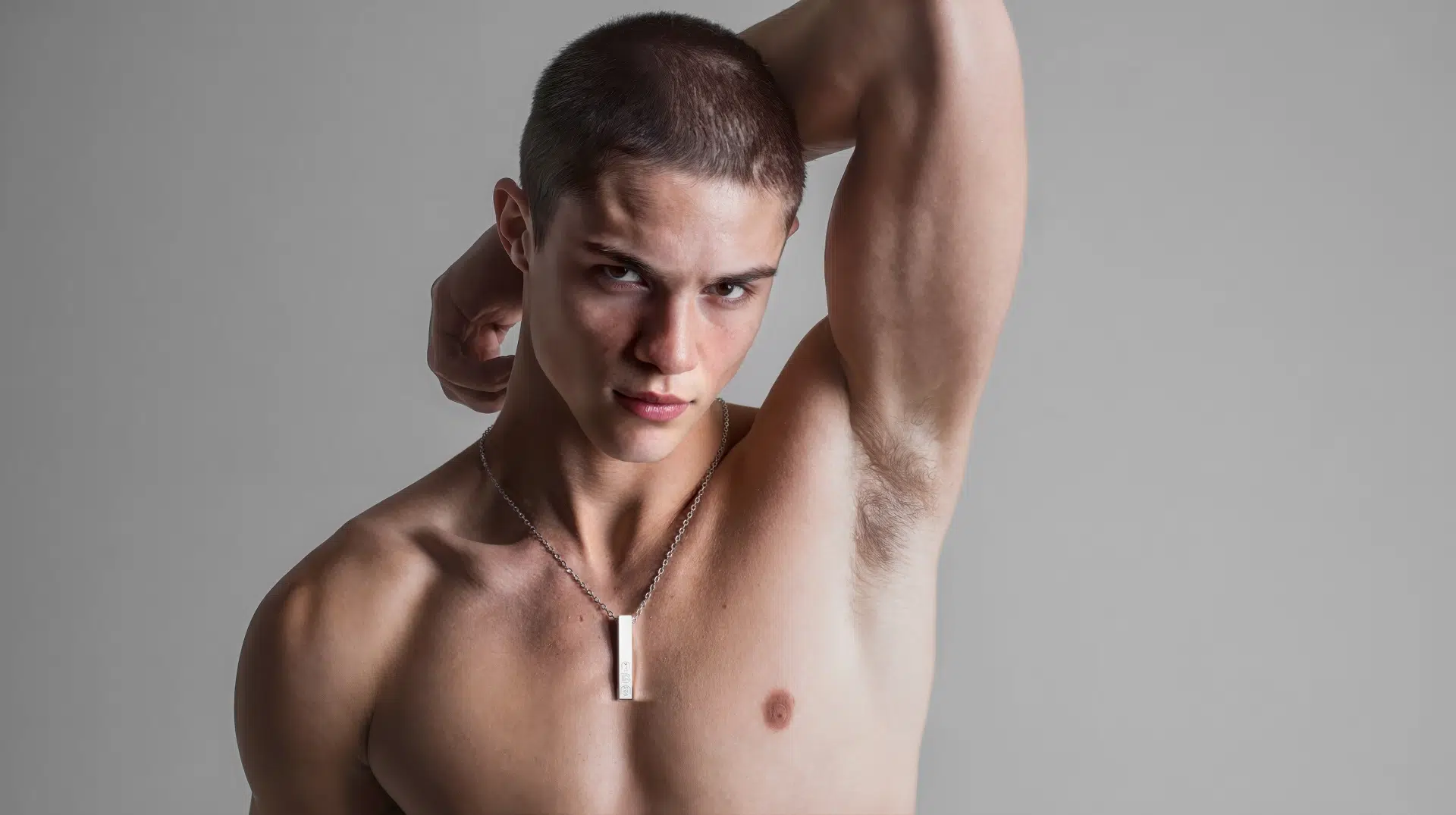


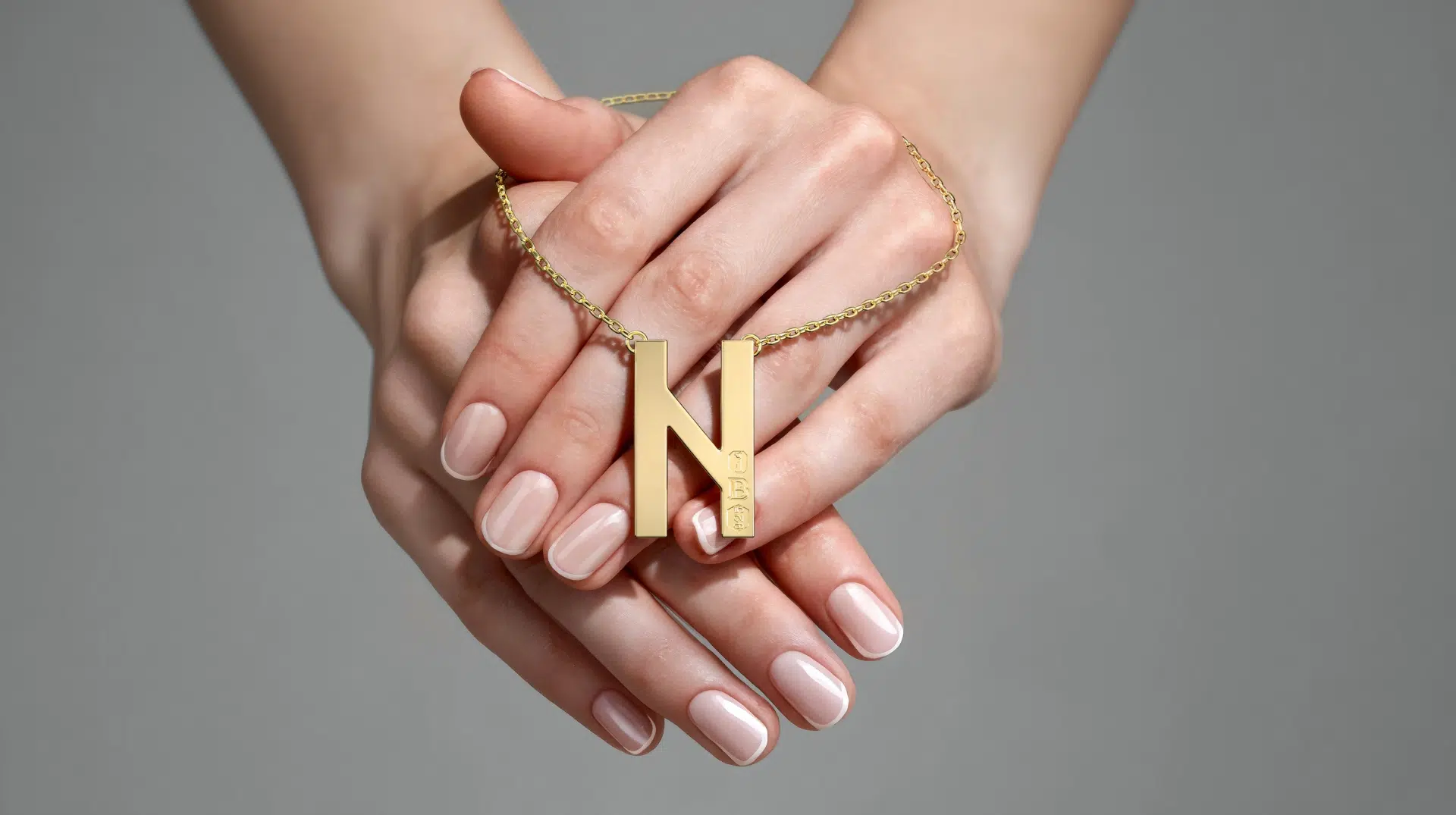
3D Jewelry Rendering : Necklaces Composited Into Model Photos
Project Snapshot
- Start Date: Jan 6, 2026
- End Date: Jan 10, 2026
- Project: Place necklaces into real model photos
- Client Input: Base model photos, placement guides, necklace references, stamp artwork (EPS), and quality benchmark images
- Client: Jewelry brand
- Primary goal: Make the necklace look like it was photographed on the model, not added later
- Deliverables: High-resolution Product visualization per SKU in two metal finishes (silver and yellow gold), delivered with original file names, folder structure, and no compression
- Key constraints: Photo-matching realism, correct scale, realistic chain behavior, and proper shadow casting.
The challenge
This project was less about creating a nice render and more about creating a perfect match to an existing photograph. The client needed every necklace to feel native to the photo, with zero “CGI pasted in” look. We complained that their model photos look like they were generated by AI. But they wanted to keep that fresh/perfect look.
The main things we had to get right were:
- The pendant size needed to match real-life reference, while the chain thickness and link shape had to remain believable at viewing distance.
- Chain behavior and body contours
The chain could not sit straight. It had to follow the model’s neck and body naturally, including subtle lift and wrap where it goes behind the neck or interacts with hands. - Depth of field and focus matching
If the hand or body area was slightly out of focus, the chain and pendant in that same area needed to be proportionally out of focus too. - Polished metal finish needed a high-shine, premium look. The Model’s photo studio lighting was not working for the metals on their neck. We had to create fake lighting just for the metals to reflect those lights and shine better.
- The file size was so big that we could not insert it into our system as it is. We had to compress and decompress without losing pixels to deliver in the same size and quality.

How 7CGI solved it
We approached this like a photo-real integration job, not a standard 3D Jewlery rendering.
- We built clean 3D models of the pendant and chain.
- We matched the camera angle and lighting to the original photo so highlights and shadows behave naturally, and then rendered on a white background.
- We refined contact shadows and drop shadows so the necklace sits correctly on skin and clothing.
- We shaped the chain to follow the model’s contours and adjusted areas where it should lift or wrap more realistically.
- We matched depth of field so focus changes feel consistent with the original photograph.
- We used a strict quality checklist before every upload to confirm naming, file size, folder structure, and correct metal color per file.
Why this mattered for this product
Jewelry is unforgiving. Small issues like a chain that is too straight, a pendant that is slightly small, or a focus mismatch can instantly make the result feel like CGI.
This brand needed lifestyle images that hold up on close viewing and feel native to the photo. 3D visualization made it possible to scale consistent images across multiple finishes without repeated photoshoots, while still allowing quick improvements based on feedback.

Drop us a line at abdullah@7cgi.com if you would like to talk about your product. Visit 3d product rendering services to see the services we offer for brands.