How Much Does Rendering Cost

How Much Do 3D Renderings Cost? 2026 Price Guide with Interactive Calculator

22 min read
Last Updated on May 24, 2026 by Abdullah Al Baki

If you’ve ever searched for 3D rendering services, you’ve probably noticed one thing right away: pricing isn’t always clear. Some studios list flat rates, others charge hourly, and many won’t reveal a number until you send project details. 3D rendering services prices can frustrate architects, developers, designers, or product brands.

The truth is, there’s no one-size-fits-all price. The cost of a rendering depends on multiple factors, like project complexity, detail level, type of deliverables, and sometimes turnaround time. We will discuss this later in this blog. But rest assured, today you will leave with clarity. 

3D Rendering Cost Calculator

Estimate Your Project Cost Instantly (Calculators provide close approximation)

Interior Rendering Price Calculator

Estimate costs for our Interior Rendering Service based on scene complexity.

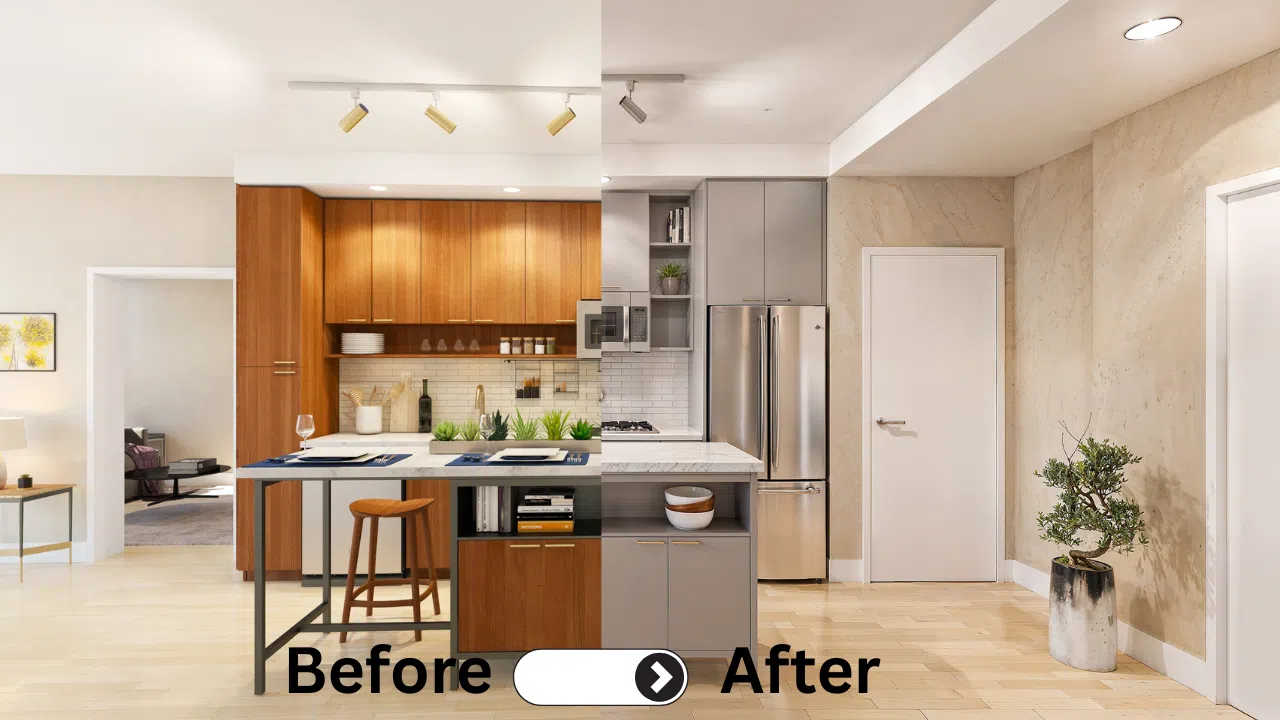
Interior Rendering Example
Simple Example 1

Custom Modeling

(Unique furniture or FF&E built from scratch)

Add People

(Consistency ensured across all room angles)

AI Walkthrough

(Dynamic video at $25 per second)

Exterior Rendering Price Calculator

Estimate costs for our Exterior Rendering Service based on complexity and image volume.

Moderate Exterior Example 1
Exterior Rendering Example

Every 5th image is free.

Custom Landscape Plan

(One time 3D Modeling cost)

People and Cars

(Flat add-on per scene.)

AI Walkthrough

($25 per second.)

Product Rendering Pricing Calculator

Calculate your project cost instantly. Includes one white background render per SKU.

Extra White BG Renders

Additional camera angles

Lifestyle Renders

Marketing/Mood images

AR Files (Shopify)

3D formats (.GLB / .USDZ)

Color Variations

Multiple materials/colors

AI Product Animation

Video content ($15/sec)

360 Spinning

Interactive turntable view

Factors that affect 3D Rendering Prices.

Its amazing to see how AI has changed our working protocols to pricing for 3D Rendering Services we offer. As I am reviewing this article in the second quarter of 2026, Some parts of production are now faster, especially concept development, scene setup support, simple variations, and repetitive tasks. But high-quality 3D rendering still depends on accurate modeling, strong art direction, realistic materials, lighting control, composition, technical review, and final quality control.

There are cost factors that apply to both product rendering services and architectural rendering services, and many of them are common across most industries. To make this easier to understand, it helps to look at pricing in three groups:

1. Common 3D Rendering Cost Factors

These are the factors that affect both architectural rendering and product rendering.

Complexity and level of detail

A simple scene with clean shapes and basic materials costs far less than a scene with heavy detailing, layered materials, custom assets, or close-up realism.

Quality of source files and clarity of brief

Good input lowers production time. Clean CAD, Revit, BIM, STEP, or well-organized reference files help a lot. A clear brief with dimensions, finishes, references, and expected outputs reduces back and forth and keeps the price under control.

Output type and deliverables

Still images, 360 panoramas, animation, interactive presentations, AR-ready assets, and other outputs all require different levels of work. The more formats you need, the more pricing should be built around deliverables rather than a single flat rate.

Scope of work

The number of views, camera angles, product variants, scenes, or output versions has a direct impact on cost.

Timeline and rush requests

Fast turnaround often requires priority scheduling, parallel production, and tighter review windows. That usually increases price.

Revision structure

Most professional studios include a fixed number of revision rounds. When revision requests go beyond that scope, the budget usually increases.

Quality target

Not every rendering is meant for the same use. A fast approval image, an Amazon hero image, a premium brochure visual, and a billboard-ready marketing render all require different levels of polish.

Batch size and asset reuse

When the same base model, materials, scene, or lighting setup can be reused, the cost per image or per product usually drops.

Team expertise and quality control

AI can speed up parts of the workflow, but experienced artists and a strong review process still make the biggest difference in final quality. That is part of what clients are paying for.


2. Architectural Rendering Cost Factors

Architectural visualization has its own pricing drivers because every property has a different design language, scale, and context.

Site and context modeling

Exterior renderings often need surrounding buildings, roads, sidewalks, topography, neighboring structures, and environmental context. The more context that must be built, the higher the cost.

Landscaping density

Custom planting, hardscape, water features, trees, and styled outdoor environments can add major production time.

Aerial views and phased visuals

Aerials, drone-match visuals, construction phases, and site logistics visuals usually cost more because they require larger environments and more planning.

Custom furniture and interior assets

For interior renderings, custom FF&E can significantly increase the budget. Bespoke furniture, fixtures, and accessories often require additional modeling and material development.

Design style

Style matters more than many clients expect. A highly ornamental classic interior often costs far more than a modern interior of the same size because it needs more detailing, richer assets, and longer look development.

Type of presentation

A single still image is priced differently from a full interior package, a walkthrough animation, or an interactive sales tool. The same project can have very different pricing depending on how it needs to be presented.

3. 3D Product Rendering Cost Factors

Product rendering is usually more modular than architecture, but the pricing still depends heavily on what you need the visuals to do.

Product geometry and shape complexity

Simple hard-surface products are faster to build than products with complex curves, organic surfaces, layered parts, or intricate assemblies.

Materials, labels, and custom textures

Products with brushed metal, leather, woven fabric, embossed packaging, transparent plastics, foil stamping, wood grain, or printed labels require more look-development time.

Extreme detail for close-ups

Macro shots need a much higher level of realism. Small bevels, micro textures, stitching, decals, scratches, fingerprints, and material accuracy become much more important.

Product variants

Color changes can be simple if only a hue is changing. But if each variant has different labels, finishes, textures, packaging layouts, or structural changes, the cost rises.

Scene creation

A white background hero image costs less than a fully styled lifestyle scene. Once a lifestyle scene is approved, though, the same scene can often be reused for additional SKUs, which lowers the cost.

Output package

A single hero image, a 360 spin, short animation, Amazon image set, product configurator set, and AR-ready file package all involve different scopes of work.

How AI Has Changed 3D Rendering Pricing

AI has changed the workflow, but not in the simplistic way many people assume.

AI can now help with:

  • faster ideation and concept exploration
  • staging support and visual direction
  • some texture and variation tasks
  • image cleanup and post-production support.

This means some types of rendering are now more affordable than before, especially:

  • early concept visuals
  • sometimes with additional viewing angles creation.
  • Simple camera walkthrough animations.
  • simple product variations
  • scenes where approved assets can be reused
  • fast draft visuals for internal review

But AI does not remove the need for:

  • technically correct modeling
  • accurate proportions and dimensions
  • reliable product and packaging accuracy
  • brand consistency across many visuals
  • photoreal materials and lighting
  • strong composition
  • human quality control

How to Control Architectural Rendering Costs

Clients can save a lot by improving the input and keeping the process organized while working with a 3D Rendering Service provider.

1. Share better source files early

Send clean CAD, Revit, or BIM files with correct scale, layers, and references. If you already have a good 3D model, that can reduce modeling time significantly.

2. Provide finish schedules and references

Clear materials, product references, mood direction, and image examples reduce guesswork.

3. Choose only the views that matter

Start with the must-have views. Each extra angle adds production time. Focus on the visuals that help you sell, explain, or approve the design.

4. Match the output to the goal

Use standard web-ready resolutions for approvals and listing use. Reserve larger outputs for print, signage, or premium campaign work.

5. Approve early-stage decisions at the right time

Confirm geometry, camera angles, and lighting mood during the draft stage. Late design changes are much more expensive than early corrections.

6. Consolidate feedback

One clear feedback round from your team is far more efficient than scattered comments from multiple stakeholders.

7. Batch similar deliverables

When multiple images come from the same model and same environment, the cost per image usually improves.

How to Control Product Rendering Costs

Product rendering becomes much more efficient when the workflow is standardized.

1. Share all product information at once

Provide dimensions, CAD files, label files, packaging layouts, finish references, and output requirements up front.

2. Approve one benchmark product first

Run the full process on one sample SKU, approve the quality level, output format, and style, then repeat that setup across the rest of the line.

3. Standardize scenes and outputs

If you need a catalog, Amazon images, website visuals, or social media assets, define those formats early so the same production setup can be reused.

4. Group variants intelligently

Simple color changes are much cheaper when handled in batches. Structural changes or new labels should be separated clearly so they are priced properly.

5. Reuse approved scenes

Once a lifestyle scene is approved, placing additional products into that same scene is usually much more efficient than building a new environment from scratch.

The best way to control 3D rendering costs is to work with a vendor who runs their business ethically and can be trusted. A good approach is to work on an hourly basis after getting an approximate estimate first.

Technology is changing fast. What feels difficult or time-consuming today may become much easier tomorrow. When you are working with the right vendor, you are less likely to be overcharged for that change. In other words, you should also benefit when new technology makes the vendor’s work faster and more efficient.

3D Rendering Services Cost Breakdown by Rendering Type

Over the years, we have noticed a fairly consistent pricing pattern across most types of rendering work. Once a rendering type is grouped into simple, moderate, and complex, the next level often starts at around double the previous one. In other words, moderate commonly starts at about 100% higher than simple, and complex commonly starts at about 100% higher than moderate. This is not a strict rule for every project, but it has remained a useful pricing structure in the industry for decades. The main exception is Interactive 3D Experiences, where scope and features vary too much to follow a fixed pattern.

3D Architectural Visualization Cost Breakdown

Regular 3D Still Image Rendering (Starts from $200)

Regular 3D still image rendering is one of the most common types of architectural visualization. A simple rendering usually covers a straightforward scene with limited custom elements and a clean presentation. A moderate rendering often includes more detail, richer materials, stronger styling, or a more developed environment. A complex rendering usually involves custom assets, advanced lighting, dense landscaping, intricate design features, or a higher level of realism for premium marketing use.

3D Animation and Walkthrough (Starts from $25 per second)

For 3D animation and walkthroughs, pricing is commonly calculated per second. A simple walkthrough may include basic camera movement through an already prepared scene. A moderate animation may require more polished transitions, added spaces, or more refined motion. A complex animation can include multiple shots, advanced scene changes, detailed environments, storytelling, and heavier post-production work.

Interactive 3D Experiences for Architectural Rendering

Interactive 3D Experiences should be treated separately. Unlike still images or walkthroughs, these projects vary too much in scope to fit a fixed simple, moderate, and complex structure.

Pricing usually depends on the number of spaces, interaction features, navigation system, overlays, day-to-night options, and whether the experience is being built for design review, sales, or both. Because of that, Interactive 3D Experiences are usually priced as custom projects.

Aerial Renderings (Starts from $600)

Aerial renderings can also be grouped into simple, moderate, and complex levels. A simple aerial may show the property and its immediate surroundings with limited extra detail. A moderate aerial often includes more landscaping, neighboring structures, traffic, people, or stronger site context. A complex aerial can involve large developments, multiple buildings, detailed environmental work, or alternate lighting conditions.

360 Views (Starts from $200 for an Existing Scene or $500 for a New Scene)

360 views can be priced in two common ways. When the 360 view is created from an existing approved scene, the cost is lower because much of the modeling, lighting, and scene setup is already done. When the 360 view requires a new scene to be built from scratch, the work is much closer to creating a fresh rendering setup. There is a good example in our apartment rendering blog.

In both cases, the final scope depends on scene complexity, output resolution, styling, amount of custom modeling, and whether the 360 view is being created as a standalone deliverable or as part of a broader presentation.

Design is an expression, and there are countless ways to visualize a property. In truth, your imagination sets the boundaries. That said, the rendering types listed above are the most common and proven in the industry, which is why we highlighted them.

Pricing Breakdown for Product Rendering

Product Rendering (Starts from $150 per product)

Product rendering is usually more modular, but it can still be grouped into simple, moderate, and complex levels. A simple product usually has clean forms, basic materials, and limited complexity. A moderate product may involve more components, stronger material development, or more detailed finishing. A complex product often includes intricate shapes, premium materials, fine surface detail, or a need for high-end close-up realism.

360 Spin (Starts from $20)

Once the base product model is complete, a 360 spin can often be added efficiently. The final scope depends on product complexity, output quality, frame count, and whether multiple versions or variations are needed.

Lifestyle Renderings (Starts from $99)

Lifestyle renderings can also be grouped into simple, moderate, and complex tiers. A simple lifestyle image may place the product in a clean, minimal environment. A moderate lifestyle scene may include more styling, props, or richer lighting. A complex lifestyle rendering may involve a fully developed environment, multiple supporting objects, advanced material work, and a stronger storytelling setup.

Product Variations (Starts from $2 per variation)

Color or finish variations can be very affordable when the base product is already approved. If the change is only a simple color swap, the work stays minimal. If a variation requires texture changes, label updates, or more detailed material adjustments, the complexity rises accordingly.

This structure helps keep product rendering costs predictable and makes it easier to reuse one approved 3D model across multiple deliverables such as white-background images, lifestyle visuals, 360 spins, and other marketing assets.

Understanding the Cost of Quality

Low-cost visuals do not always look bad. But lower pricing often means less detailing, simpler materials, and a more basic level of finish. That may be enough for internal reviews, concept approval, or simple online use.

Higher-tier visuals usually involve more modeling time, more refined materials, stronger lighting, better composition, and closer quality control. That is why complex renderings cost more. In many cases, the extra investment is what makes the image strong enough for premium marketing, close-up presentation, and brand-building use.

Conclusion

In 2025, high-quality Visualization won’t just be nice to have; it’ll be a way to get ahead of the competition. Companies that make smart investments in professional 3D rendering always see more engagement, shorter sales cycles, and more trust in their brand.

If you’re thinking about getting expert help, check out our 3D Rendering Services for real estate and architecture or our 3D Product Visualization Solutions for brands. Choosing the proper partner makes sure that your visualization budget turns into real results.

In 2026, the average cost for a professional still image falls between $500 and $1,500, depending on detail, quality, and the studio’s expertise.

Short animations (30–60 seconds) generally start at $2,000–$5,000, while longer cinematic walkthroughs or product animations can range from $7,000 to $20,000+.

Pricing reflects experience, portfolio strength, technology, turnaround time, and quality. A premium studio with a large team and global clientele may cost more, but the reliability and polish can justify the investment.

To receive a realistic estimate, be prepared to share architectural drawings, dimensions, CAD or 3D models, reference photos, design inspirations, and the desired timeline. The more complete your inputs, the more precise the quote.

Yes. By providing clean files, consolidating feedback, and avoiding last-minute changes, you can keep costs down. Partnering with the same studio long-term often results in better pricing and faster delivery.

ABOUT THE AUTHOR

founder of 7cgi limited sitting on a boat

FOUNDER & CREATIVE DIRECTOR

Abdullah has been at the helm of 7cgi Limited since 2015. With a career as a 3D artist that began in 2008, he has positioned himself as an industry thought leader and serves as a mentor to numerous 3D artists today. You can connect with him on LinkedIn to gain from his extensive knowledge and experience.

RELEVANT TOPIC

3D product rendering for ecommerce showing photorealistic furniture with interactive 360 degree view
3d product configurator
Photorealistic 3D rendering of modern black matte cylindrical cabinet pull handle installed on white drawer with light wood cabinetry

LATEST ARTICLES

3D product rendering for ecommerce showing photorealistic furniture with interactive 360 degree view
3d product configurator
Photorealistic 3D rendering of modern black matte cylindrical cabinet pull handle installed on white drawer with light wood cabinetry
Photorealistic 3D rendering of luxurious two-story stone Raddon Residence Option A with light beige stone facade, blue shutters, dark slate roof, elegant arched entrance, cobblestone driveway and vibrant colorful flower beds in full bloom
Photorealistic 3D bottom view rendering of completed modern building entry roof canopy with dark gray metal frame and clean light wood plank soffit
Photorealistic 3D rendering of bright modern open lobby with colorful grid wall art, glass-top reception desk, beige armchairs, high ceiling with pendant lights and people walking through the space
Scroll to Top