
Augmented Reality Product Visualization: A Practical Guide for eCommerce
Explore how augmented reality (AR) is reshaping e-commerce by enhancing product visualization, improving customer engagement, and driving sales. Discover the future of online shopping with AR.
Technical Field Report · 7CGI Studio
At a glance
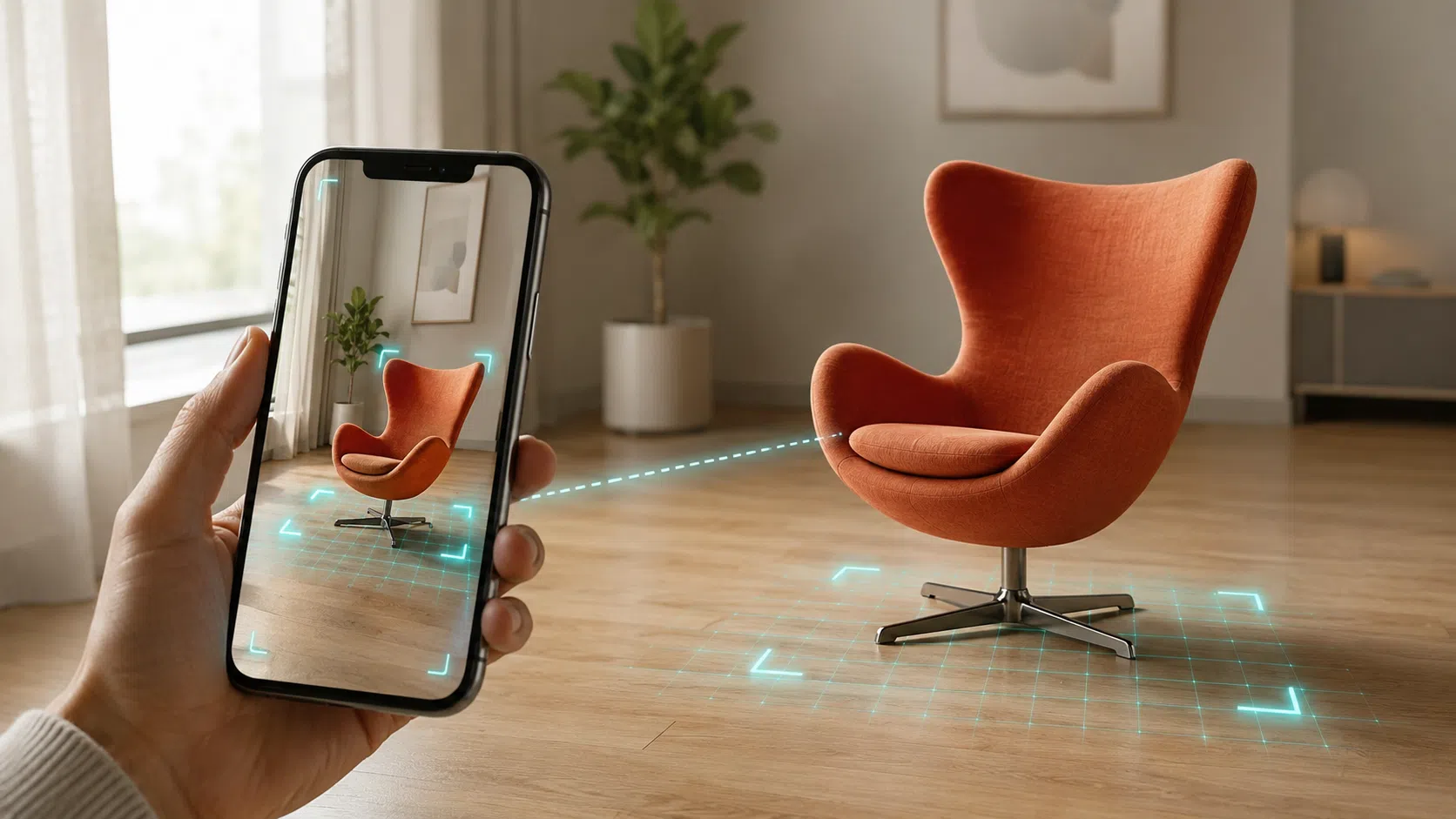
What it is: Augmented Reality product visualization places a true-to-scale 3D model of a product into a shopper’s real environment through a phone, tablet, or AR headset.
Why it matters: Shopify reports that products with 3D and AR content can see meaningful conversion lifts compared with 2D images alone, and brands using in-room AR have reported lower return rates after launch.
What you need: A photorealistic, AR-ready 3D model exported in glTF or GLB for the web and Android and USDZ for Apple devices.
How 7CGI helps: 7CGI’s 3D product rendering services build a single high-quality 3D master that powers AR views, configurators, product page images, and lifestyle CGI.
What is AR product visualization?
Common terms in AR product visualization
Term | Plain-English meaning |
AR (Augmented Reality) | Digital content layered onto the real world through a camera or headset. |
VR (Virtual Reality) | A fully digital environment that replaces the real world. |
MR (Mixed Reality) | A blend where digital objects interact with the real environment. |
XR (Extended Reality) | An umbrella term covering AR, VR, and MR. |
WebAR | AR that runs in a mobile browser without an app install. |
App AR | AR delivered inside a native iOS or Android app. |
glTF and GLB | The 3D file formats maintained by the Khronos Group, widely used for WebAR and Android AR. |
USDZ | Apple’s 3D file format for AR Quick Look on iPhone, iPad, and Apple Vision Pro. |
PBR materials | Physically Based Rendering materials that respond to light realistically. |
Photogrammetry | A method that builds a 3D model from many photos of a real object. |
3D product configurator | An interactive 3D viewer that lets shoppers customize materials, colors, and finishes. |
Up to 94 percent higher conversion rates for products with 3D and AR content, according to Shopify’s own merchant data.
189 percent conversion lift reported by IKEA for shoppers using the IKEA Place app, built with Apple’s ARKit.
Up to 40 percent reduction in return rates when shoppers can preview products in their own space, per Zolak’s 2026 AR product visualization guide.
61 percent of consumers prefer retailers that offer AR, based on widely cited NielsenIQ research.
- Higher conversions. Shoppers who place a product in their space are more likely to add to cart and complete checkout, because the visual matches their context.
- Fewer returns. When buyers see correct scale, color, and finish before purchase, fewer products come back for “not as expected” reasons.
- Better customer experience. Interactive viewing reduces pre-sale questions and builds trust in the brand.
- Lower production cost over time. A single 3D model can produce AR views, 360 spins, lifestyle CGI, white background images, and variant visuals, which reduces the need for repeat photoshoots.
How AR product visualization works
- Reference gathering. The studio collects product photos, dimensions, material notes, finish samples, CAD files when available, and any technical drawings.
- 3D modeling. A 3D artist builds an accurate model of the product, respecting real dimensions and proportions.
- Materials and lighting. PBR materials are applied so the product responds to light the way the real object would. Reflections, roughness, metalness, and bump details are tuned.
- Optimization and export. The model is reduced to a file size that loads quickly on mobile, then exported in AR-friendly formats. glTF or GLB is the common choice for the web and Android. USDZ is the format for Apple AR Quick Look.
- Deployment. The 3D model is embedded on the product page through a viewer such as Google’s
model-viewer, or inside an app, and is served to shoppers through WebAR or a native AR viewer.
The first time a shopper taps “View in your space,” the device camera opens, the floor or surface is detected, and the model appears at real-world scale.
WebAR vs App AR vs Native SDK AR
Delivery method | Best for | Strengths | Tradeoffs |
WebAR (model-viewer, Scene Viewer, AR Quick Look on the web) | Most ecommerce product pages, marketing campaigns, and quick rollouts | No app install, works from a link, fast launch, lower cost | Smaller file size limits, fewer advanced features |
App AR (native iOS or Android) | Brands with a dedicated shopping app and repeat users | More features, better performance for complex scenes, deeper customization | Requires app development, larger build, app store maintenance |
Native SDK AR (ARKit or ARCore directly) | Highly custom experiences, multi-product scenes, advanced interactions | Maximum control, advanced placement, occlusion, and tracking | Highest development cost and timeline |
<model-viewer> web component handles both formats automatically, which is why it has become the default starting point for e-commerce AR.What makes a 3D model AR-ready
AR-ready 3D model checklist
- Accurate real-world dimensions so the model places correctly in the shopper’s space.
- PBR materials that respond to lighting realistically across device types.
- Optimized geometry that keeps the visual quality high while reducing polygon count.
- Compressed texture maps balanced for mobile performance.
- Correct file formats for the target platform: glTF or GLB for the web and Android, USDZ for Apple devices.
- A clean pivot point so the model rotates and places naturally.
- A controlled file size that loads quickly on a mobile connection.
The 7CGI process for AR-ready product rendering
- Project intake. The team reviews product references, dimensions, material notes, CAD files, finish samples, and the required image and AR outputs.
- 3D modeling. Artists build an accurate model with correct proportions and geometry suitable for both high-end stills and AR delivery.
- Materials and lighting. PBR materials, accurate colors, and realistic lighting are applied. Branded textures and finishes are matched to physical samples when available.
- Output planning. Outputs are planned together so the same model produces still images, 360 spins, configurator views, AR-ready glTF or USDZ files, and lifestyle scenes.
- Review and revisions. Drafts are shared for feedback. Material, lighting, angle, and detail adjustments are made within a structured revision process.
- Final delivery. Final files are delivered in the agreed formats, including AR-optimized exports.
Industry use cases
- Furniture and home decor. Buyers place sofas, tables, lamps, and shelving in their actual rooms before buying. AR removes the guesswork around scale and color match. IKEA’s IKEA Place app is the most-cited consumer example. For brands in this category, see 7CGI furniture rendering services.
- Fashion and accessories. Watches, eyewear, sneakers, and jewelry can be tried on virtually. Warby Parker’s virtual try-on is a widely referenced example in the eyewear category.
- Beauty and personal care. Lipstick, foundation, and hair color can be previewed on the shopper’s own face. L’Oreal’s ModiFace technology is the best known example in cosmetics.
- Consumer electronics. Speakers, monitors, and appliances can be placed on a real desk or counter to judge size.
- Industrial and B2B equipment. Buyers can see machinery, fixtures, or fittings in the actual installation space, which speeds up technical decisions. For brands in this category, see 7CGI industrial product 3D rendering.
- Packaging and CPG. Brands can preview labels, bottles, boxes, and pouches in retail-shelf context before mass production. For brands in this category, see 7CGI 3D packaging rendering.
Common planning mistakes
- Starting modeling without final dimensions. AR depends on real-world scale. If dimensions change after the model is built, the AR placement will be wrong.
- Treating AR as a separate project. AR should be planned alongside still images, 360 spins, and configurator views so the same 3D model serves all outputs.
- Skipping material references. Without physical samples or accurate color codes, the AR view will not match the real product. Color mismatch is one of the top causes of returns.
- Ignoring file size limits. Heavy models will load slowly on mobile, hurt page speed, and drop conversion.
- Choosing only one AR format. A model needs glTF or GLB for the web and Android and USDZ for Apple devices. Skipping one cuts off a major share of shoppers.
- No QA on real devices. AR must be tested on actual iOS and Android devices in real lighting conditions, not only inside design software.
Future trends
- AI-assisted 3D modeling. Generative AI tools are reducing the time to create a base 3D model from photos or sparse references. Final review and material accuracy still require human artists, especially for product-accurate visuals.
- Personalized AR. Configurators are starting to pair with recommendation systems, so the AR view a shopper sees can be pre-customized to their history and saved preferences.
- Social commerce integration. AR experiences are being embedded directly into social platforms and in-feed shopping, which moves the AR moment closer to discovery.
- Spatial computing. As more shoppers use AR headsets and mixed-reality devices, the product page itself becomes a 3D scene rather than a flat layout. Apple’s Vision Pro AR Quick Look is the most visible early example.
- Tighter content reuse. Brands are consolidating around a single high-quality 3D master asset that feeds every channel: AR, configurator, web, ads, marketplaces, and print.
What to do next
- Product references from multiple angles
- Accurate dimensions
- CAD or 3D files, if available
- Material, color, and finish notes
- Label or packaging artwork, if relevant
- Required image types: white background, lifestyle, 360 spin, AR-ready model, animation
- Number of SKUs and variations
- Expected timeline